how to automate WooCommerce shipment notifications with AI tools
Introduction
Keeping customers informed about their orders is a fundamental aspect of running a successful WooCommerce store. Missing or delayed shipment updates often lead to higher support requests and poor customer experiences. As your business grows, handling manual shipping notifications becomes time-consuming and prone to human error. In response to these challenges, eCommerce businesses are increasingly adopting advanced automation techniques. Especially with the rise of artificial intelligence (AI), there are now sophisticated and accessible AI tools for WooCommerce shipping alerts.
Learning how to automate WooCommerce shipment notifications with AI tools not only saves time but also ensures consistency and timeliness in communication with customers. This tutorial will guide you through the main steps of setting up automated WooCommerce shipping updates using AI solutions. We will explore integration tools, workflow examples, and best practices to streamline your shipping notification processes while maintaining high levels of customer satisfaction. Whether you run a small boutique store or manage a high-volume WooCommerce site, implementing the right automation for WooCommerce shipping updates can improve operational efficiency and enhance your customers’ buying journey.
Understanding WooCommerce Shipment Notifications
What Are WooCommerce Shipment Notifications?
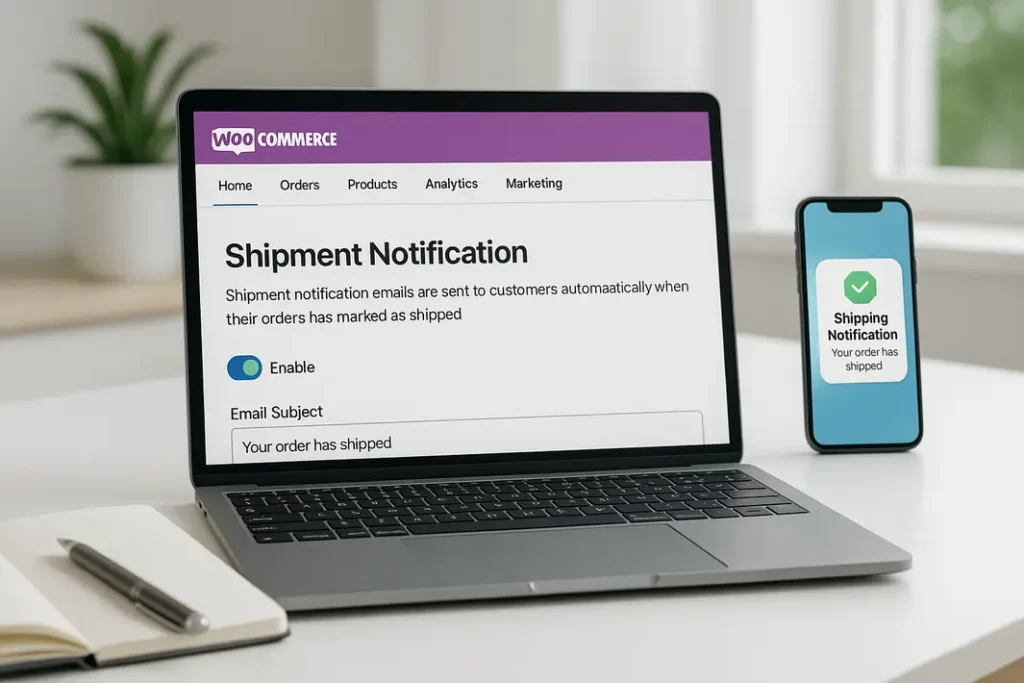
Shipment notifications are messages sent to customers to update them about the status of their orders. These include information such as when an order has been packaged, shipped, or is out for delivery. In WooCommerce, shipment alerts are typically sent via email or SMS depending on store configuration and plugins in use. The aim is to keep customers informed and confident during the post-purchase process.
Limitations of Manual Notifications
Many WooCommerce store owners initially configure shipment emails manually. While manageable with a low order volume, this process can quickly become cumbersome as sales increase. Human-driven workflows often introduce delays, forgotten emails, or incorrect information, leading to customer inquiries and frustration. Automating this workflow helps ensure every customer receives timely and accurate notifications without the need for constant oversight from the store owner or staff.
Choosing AI Tools for WooCommerce Shipping Alerts
Criteria for Selecting the Right Automation Tool
To automate WooCommerce shipment notifications, selecting the right set of tools is essential. The ideal solution should integrate smoothly with WooCommerce, support automated triggers based on order status changes, and offer customization for messages. Compatibility with popular email and SMS providers is also important to ensure that notifications consistently reach your customers.
Overview of Popular AI-Powered Solutions
Several platforms offer AI workflow for WooCommerce shipment alerts. Solutions such as n8n, Zapier, and Make (formerly Integromat) provide no-code or low-code automation features, making it possible to set up triggers and complex workflows without advanced coding skills. These platforms also allow you to leverage AI-powered actions such as natural language message customization, smart scheduling, or personalized content based on user behavior. For WooCommerce-specific scenarios, n8n WooCommerce shipping notifications are popular due to their flexibility and open-source nature, allowing extensive customization of the automation process.
Setting Up Automation for WooCommerce Shipping Updates
Integrating WooCommerce with an AI Automation Platform
The first step to enabling fully automated shipping notifications is connecting your WooCommerce store to your chosen AI tool or automation platform. Most solutions offer direct WooCommerce integrations using APIs and webhooks. For example, with n8n, you can create a workflow that listens for changes in order status (such as from “processing” to “completed” or “shipped”) and triggers a notification event accordingly. You will typically need to authenticate your WooCommerce store within the automation tool and define which order status changes should act as triggers for sending notifications.
Building the Notification Workflow
Once integration is complete, you can build a workflow that automates the process from status change detection to customer notification delivery. This workflow may include steps for fetching order details, formatting the shipping message, and sending the update via email or SMS. Cutting-edge AI functionality can be incorporated for personalized customer experiences, such as automatically generating tracking information, addressing customers by their first names with natural language, or adjusting message frequency based on delivery estimates.
Customizing WooCommerce Automated Shipping Emails with AI
Personalized and Smart Notification Content
AI shipping notifications WooCommerce features aren’t just about sending alerts—they can also deliver deeply personalized content. By leveraging AI-powered text generation, you can tailor messages based on purchase history, shipping method, or location. Modern AI tools can use data from WooCommerce orders to dynamically suggest shipment timeframes, expected delivery dates, or upsell related products based on what the customer previously bought.
Dynamic Data Insertion
Incorporating live order data into your notifications adds value to customers. Automation workflows can extract the order’s tracking number, estimated arrival date, carrier name, and packaging details to enhance your message. AI can also be used to flag potential delivery exceptions (for example, predicted weather delays) and proactively notify customers, thereby reducing the volume of post-sale inquiries to your support team.
Monitoring and Optimizing AI Shipping Notifications in WooCommerce
Tracking Automation Performance
Once your WooCommerce shipping update automation is in place, it’s important to continually monitor and optimize its performance. Most AI workflow platforms offer analytics dashboards, which track delivery rates, open rates, and customer responses to your shipping notifications. Reviewing these metrics helps you identify areas where notifications might be delayed or missed, ensuring you maintain high standards for customer communication.
Best Practices for Ongoing Optimization
Periodically refine your automated workflow by reviewing feedback and analyzing performance statistics. If customers often ask about specific shipment details not included in your notification emails, consider updating your templates to address these needs. AI can assist by analyzing common customer queries and recommending content improvements. Regularly updating your workflows and templates ensures continued customer satisfaction and maximizes the benefits of automation.
Common Challenges and Solutions in WooCommerce Shipping Update Automation
Handling Notification Errors
Automating shipping notifications can sometimes result in errors such as failed emails, misfired triggers, or data synchronization issues between WooCommerce and your automation tool. It is crucial to set up error-catching mechanisms in your automation platform. For example, use fallback steps to log failures, retry sending notifications, or alert your team to manually review affected orders.
Ensuring Data Security and Privacy
With automated workflows handling sensitive customer information, data security is paramount. Always use secure authentication methods for integrations and ensure your automation platform complies with relevant privacy standards. Restrict access to sensitive customer data within your team, and regularly audit workflows to protect customer information throughout your AI shipping notifications WooCommerce process.
Summary
Learning how to automate WooCommerce shipment notifications with AI tools empowers store owners to deliver superior service without increasing manual workload. By leveraging AI tools for WooCommerce shipping alerts, businesses can streamline communication, ensure timely updates, and personalize messaging. Setting up automation for WooCommerce shipping updates usually involves integrating a robust AI workflow platform like n8n and customizing notifications to include relevant order and shipment data. Monitoring and optimizing these AI-powered workflows guarantee customers receive up-to-date shipping alerts, building confidence and reducing operational friction. With evolving technology and best practices, WooCommerce shipping update automation is now accessible to stores of all sizes, making it easier than ever to enhance the post-purchase experience for every customer.
FAQ
How do I trigger automated shipping emails in WooCommerce?
You can trigger automated shipping emails using a workflow automation platform that connects to WooCommerce via API or webhooks. By monitoring the order status for specific changes (such as “shipped”), the automation tool can send emails to the customer automatically, including tracking information and delivery details.
What are the best AI tools for WooCommerce shipping alerts?
Popular AI tools include n8n, Zapier, and Make (Integromat) for no-code workflow automation, along with AI APIs for smart message generation and personalization. These tools support sophisticated integrations with WooCommerce and can automate complex notification workflows without custom coding.
Can I customize the content of WooCommerce shipping notifications using AI?
Yes, you can use AI text generation to create personalized shipping notifications based on customer data, order details, and historical purchase behavior. This allows for more engaging, relevant, and informative messaging designed to improve customer satisfaction and reduce support queries.
How secure is automation for WooCommerce shipping updates?
Automation is generally secure if you use reputable tools, secure APIs, and adhere to best practices for data privacy. It’s essential to use authentication, restrict access to sensitive data, and keep your automation tools and WooCommerce installation updated to prevent unauthorized access.
What steps can I take if my automated shipping emails aren’t being delivered?
If your WooCommerce automated shipping emails aren’t being delivered, check your email deliverability settings, review automation logs for errors, and ensure your email provider isn’t blocking messages. Additionally, set up failover alerts in your automation workflow to catch and manually address unsuccessful notifications.