step by step guide to automate WordPress post scheduling using AI tools
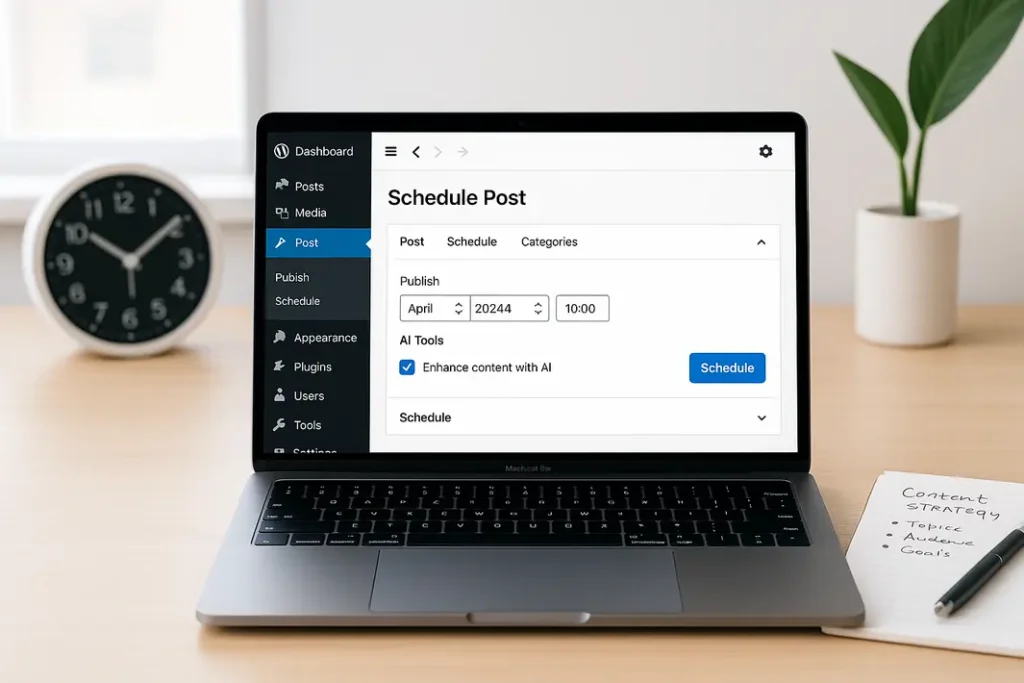
For modern WordPress site owners, managing regular content updates is vital. But juggling a content calendar, keeping up with publishing schedules, and ensuring every blog post is released at the right moment can quickly become overwhelming—especially as your site grows. To tackle this challenge, automating your WordPress post scheduling with AI tools can make your workflow dramatically more efficient. This comprehensive guide will walk you through exactly how to automate WordPress post scheduling with AI, streamline your publishing process, and spend less time micromanaging your editorial calendar.
Using AI-driven automation, you can generate, schedule, and possibly even optimize your blog posts, all while maintaining a hands-off approach. AI tools for WordPress post automation are becoming increasingly accessible, offering sophisticated features like content generation, topic suggestions, and time slot optimization. Whether you’re running a personal blog or managing a corporate website, integrating WordPress post scheduling with automation tools can free up time for strategy and creativity rather than repetitive tasks.
Understanding the Benefits of AI Automation for WordPress Post Scheduling
Why Automate with AI?
Automating blog posts on WordPress using AI brings several clear advantages. Instead of manually selecting publish dates, arranging drafts, and logging in every time you want to publish, AI-powered scheduling tools enable your content to go live at optimal times based on analytics, audience data, or custom logic. The result is efficiency, consistency, and improved content performance.
Optimizing Efficiency and Consistency
AI automation ensures your publishing schedule never gets disrupted, even if you’re busy or away. It allows for:
- Batch creation and publication of posts at set intervals without manual intervention
- Adapting post timing based on audience engagement patterns
- Reducing the risk of missed publication windows or duplicate posts
By leveraging an AI blog post scheduling WordPress tutorial like this, your editorial calendar flows smoothly, and your audience remains engaged with fresh content.
Choosing the Right AI Tools for WordPress Post Automation
Popular Options for Automating Content Scheduling
When looking for AI tools for WordPress post automation, you’ll notice a variety of plugins and integrations available. The most popular solutions range from dedicated WordPress plugins to cloud-based SaaS platforms with custom AI features. Here are a few noteworthy options:
- WordLift: This plugin analyzes your content, offers topic suggestions, and can automate parts of your publishing schedule based on semantic analysis.
- Jetpack AI Assistant: Embedded within the popular Jetpack plugin, this tool helps generate drafts and assists with automatic scheduling.
- Content scheduling/plugins with GPT integration: Tools like Uncanny Automator or WP Scheduled Posts (now SchedulePress) let you leverage AI APIs (e.g., OpenAI’s GPT) for content generation and programmatic scheduling.
Key Features to Consider
Look for features such as smart content generation, AI-powered analytics for timing optimization, seamless integration with your WordPress dashboard, and user-friendly interfaces. Scalability and security should also factor into your decision, especially for larger content teams or high-traffic sites.
Setting Up Your WordPress Site for AI Automation
Preparing the Foundation
Before diving into complex automations, it’s essential to ensure your website is ready. Start with:
- Backing up your website: Use reliable backup plugins to ensure you can easily restore your site if anything goes wrong during the process.
- Updating WordPress and plugins: Run the latest versions to ensure compatibility with new AI-driven plugins and tools.
- Reviewing user permissions: Limit automation plugin access to trusted roles only, especially if you’re automating content publication.
Installing and Connecting AI Tools
Installation generally follows standard plugin procedures. For example, if you’re using SchedulePress with a GPT extension, install the plugin, activate it, and add your AI API key in the settings. Adjust configurations to match your content calendar, preferred post types, and categories. For cloud-based AI tools, follow their API instructions to securely integrate with your WordPress site.
Configuring and Customizing AI-Scheduled Posting Workflows
Automating the Content Lifecycle
Now comes the core of any WordPress blog post automation guide: setting up and customizing workflows. An ideal setup will allow you to create drafts (either manually or using AI content generators), set triggers or rules for scheduling, and automatically publish without supervision. Common routine automation flows include:
- Automatic draft-to-publish schedule: Configure the tool to review drafts weekly and queue approved posts for future publication.
- Event-based triggers: Use automation so posts go live when a specific user or event is detected, such as new lead capture, special dates, or trend spikes.
- Optimized timing: Enable AI to analyze historic post engagement and select publish times that maximize views or shares.
Example Workflow with AI Tools
With SchedulePress and a GPT plugin, you could establish an automation chain: an AI plugin generates blog drafts, which are submitted for review. These drafts get queued in SchedulePress, which consults its analytics module to determine the best publishing slot, then pushes live posts to social media automatically. The workflow remains customizable at every step for hands-on oversight or further automation.
Best Practices for Managing Automated WordPress Post Scheduling
Quality Control and Monitoring
While it’s tempting to trust automation entirely, maintaining editorial quality is critical. Implement periodic reviews of both drafted and published content. Employ AI tools not simply for scheduling but also for grammar, readability, and SEO suggestions, as provided by many modern plugins. Track analytics to fine-tune your scheduling parameters, identifying which time slots and content types yield the best user engagement.
Balancing Automation with Editorial Oversight
It’s wise to keep a post-approval layer within your automation system. Even with the sharpest AI, periodic manual review prevents errors, preserves brand voice, and ensures relevance. Document your automation processes and update editorial guidelines so all team members understand the new workflows and checkpoints.
Troubleshooting and Scaling Your AI-Driven Scheduling System
Handling Common Issues
Inevitably, you may run into issues such as plugin conflicts, scheduling errors, or content duplication. Resolving these usually involves checking plugin compatibility, reviewing automation rules, and monitoring AI content output for misfires or off-topic drafts. Maintain logs of all scheduled posts and system actions for easy audits.
Scaling for Growth and Complexity
As your WordPress site expands, automation must scale too. Many AI scheduling plugins offer team features, multi-site support, and deeper analytics. Re-evaluate your toolset regularly and upgrade integrations as your editorial operation grows. Use automation APIs for custom workflows—such as integrating Google Calendar editorial calendars or Slack notifications into your approval and scheduling process.
Summary
Automating your WordPress post scheduling using AI tools is a smart investment for site owners aiming for efficiency and consistent quality. Through the thoughtful application of AI-powered plugins and cloud-based integrations, you can generate, queue, and publish content with minimal manual intervention. To get the most out of this approach, choose tools that fit your site’s unique workflow, customize your scheduling parameters, and always retain strategic oversight through regular quality checks and analytic monitoring. Not only does this allow hands-free management of your editorial calendar, but it can also drive user engagement by ensuring timely, relevant content delivery. With the right practices and configurations, both small bloggers and large publishing teams can benefit from the flexibility and power of automated post scheduling in WordPress.
FAQ
How do I connect AI content generators to my WordPress site for automated scheduling?
You typically start by choosing an AI-powered plugin or integrating an external service using its API. Once installed, you connect your service account, configure scheduling rules, and set permissions to allow automated draft creation and publication.
Can AI automation help optimize the timing of my WordPress blog posts?
Yes, some AI tools analyze audience engagement data to determine the optimal times for publishing your posts. These insights can be used to automatically schedule posts when your readership is most active, maximizing reach and impact.
What are the risks of automating blog post scheduling in WordPress?
Potential risks include publishing errors, lapses in content quality, or plugin conflicts. Regular monitoring, manual review procedures, and maintaining up-to-date backups help reduce these risks while maintaining automation benefits.
Are there free AI tools available for WordPress post automation?
Some plugins offer limited free versions with basic scheduling and automation features, but for advanced AI-driven functions, such as smart content generation or analytics-based scheduling, a premium or paid service is usually required.
Do AI scheduling plugins work with all WordPress themes and website types?
Most modern AI scheduling plugins are designed to work broadly with different themes and website structures. However, always verify plugin compatibility before installation, especially if your site uses a custom theme or specialized content types.