how to automate WooCommerce customer birthday emails with n8n
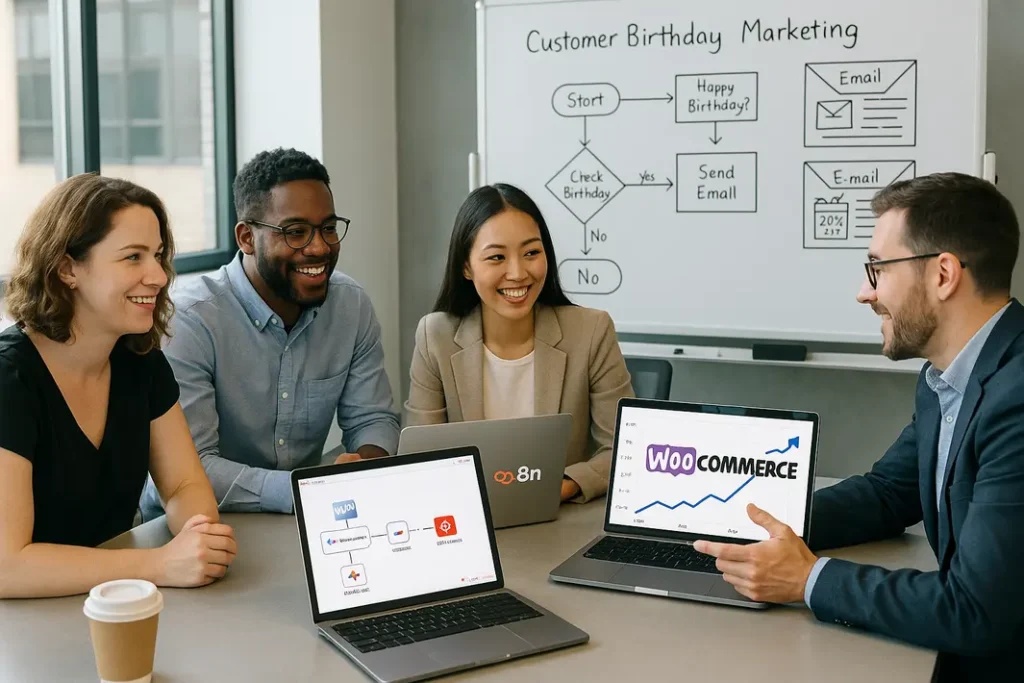
For modern ecommerce businesses, personalized customer engagement can make a significant difference in retention and sales. Sending automated birthday emails with special offers is a proven way to build loyalty, yet many WooCommerce store owners find themselves limited by their platform’s built-in features. Enter n8n—a powerful automation tool enabling you to create sophisticated, custom workflows. In this tutorial, you’ll discover how to automate WooCommerce customer birthday emails with n8n, allowing you to deliver timely, meaningful communications and incentives to your shoppers without manual effort.
This guide will walk WooCommerce store owners step-by-step through setting up an efficient automation that sends birthday greetings and discount coupons to customers. We’ll cover essential setup steps, integration details, and strategies for making these birthday campaigns effective. Using n8n, you’ll gain the ability to craft a workflow tailored to your site, customer data, and business objectives. By the end, you’ll know how to create automated birthday reminders WooCommerce n8n solutions that drive both customer happiness and repeat business.
Why Send Automated Birthday Emails to WooCommerce Customers?
The Benefits of Personalized Birthday Messaging
Birthday emails are recognized as one of the most powerful customer engagement tools in ecommerce. Customers are likely to open, appreciate, and act on messages that acknowledge their special day, especially if accompanied by an exclusive offer. Automating these messages with n8n means you can consistently provide a delightful, personal experience while also presenting new sales opportunities.
- Increased Loyalty: Thoughtful greetings strengthen your brand’s relationship with the customer, increasing the likelihood of return visits.
- Boosted Revenue: Discount coupons sent for birthdays drive purchases that might not otherwise occur.
- Automation Saves Time: Automated workflows ensure no birthday is missed and free up store owners’ time for other priorities.
Why Use n8n for WooCommerce?
While some WooCommerce plugins offer birthday email functions, they may be limited in customization or require expensive subscriptions. n8n is an open-source automation tool that integrates seamlessly with WooCommerce via API and lets you build bespoke workflows for your business logic. This flexibility allows you to automate WooCommerce birthday discount emails precisely how you want.
Prerequisites: What You’ll Need Before You Start
WooCommerce Customer Data and API Access
To send personalized birthday campaigns, your WooCommerce store must collect birthday information from customers, typically during registration or checkout. If you don’t already capture this data, consider adding a date picker field to your registration form via a custom field plugin.
n8n WooCommerce birthday email setup also requires API access to retrieve customer data. Enable the WooCommerce REST API and generate keys (Consumer Key and Consumer Secret) under WooCommerce settings. These keys authorize n8n to access your store’s database for automation.
n8n Installation & Email Provider Integration
You’ll need n8n running either locally, on a server, or via a cloud service. n8n provides a user-friendly interface for designing automations. To send emails, connect n8n to your preferred email service. This can be SMTP, Gmail, Mailgun, Sendgrid, or any provider supported by n8n’s numerous integrations. Test your email credentials in n8n before proceeding.
Step-by-Step: n8n WooCommerce Birthday Email Automation Setup
1. Design Your Automation Workflow
The automation process typically involves several nodes in n8n. Start by scheduling a daily workflow to check for customers whose birthdays match the current date. Then, retrieve relevant customer records and pass them to an email node for personalized message delivery. This is the basis of any WooCommerce birthday email automation tutorial with n8n.
- Schedule Trigger: Use the Cron node to run your automation daily.
- WooCommerce API: Fetch customers with birthdays on today’s date. Filter using a database query or by retrieving all customers and using n8n’s Filter function.
- Email Node: Set up dynamic templates and variables to personalize the greeting and attach a unique coupon code if desired.
2. Generating and Sending Birthday Coupons
For stores looking to offer birthday discounts, n8n can generate coupons via WooCommerce’s API. Add an HTTP Request node to create a one-time-use coupon. Include the resulting code in your email for a seamless customer experience.
Personalizing Content: Making Each Birthday Email Meaningful
Dynamic Email Templates and Custom Variables
Automated WooCommerce birthday greetings with n8n work best when they don’t feel generic. Utilize n8n’s template nodes to insert customer names and custom messages, and tie the content of the email to your unique brand voice.
Here’s how to level up your birthday emails:
- Name Personalization: Address the customer by first name for instant recognition.
- Exclusive Offer: Clearly state the value of the discount, whether it’s a percent off or a free gift.
- Visual Branding: Use HTML formatting within the email node for logos, company colors, and a mobile-friendly design.
Testing Your Birthday Workflow
Before enabling your workflow, use test data to ensure your birthday emails look and function properly. Preview the output for various customer records, confirming all personal fields populate as expected and discount codes work on your site.
Troubleshooting & Enhancing Your Automation Workflow
Common Issues and n8n Debugging Tips
The process to set up WooCommerce birthday emails using n8n can encounter a few hiccups. For debugging, n8n offers real-time execution logs to help you pinpoint any node failures, such as connection problems with WooCommerce’s API or issues with email provider authentication.
Typical issues include:
- API credentials errors—confirm your keys are correct and have adequate permissions.
- Incorrect customer data—be sure the birthday field is formatted (e.g., YYYY-MM-DD) for reliable date matching.
- Email deliverability—monitor spam folders and use SPF/DKIM records with your email service.
Scaling and Improving Automation
As your store grows, consider enhancements such as splitting birthday messages by customer segment, adding follow-up reminders, or tracking click-through rates on coupons for ROI analytics. n8n allows you to build these expansions within the same visual workflow editor, giving you unparalleled control.
Advanced Features: Beyond Birthday Emails
Integrating Additional Touchpoints
After mastering how to send automated birthday emails WooCommerce style, you can extend your n8n workflows to cover other customer milestones, such as anniversaries, VIP status, and lapsed-user winbacks. Adding SMS notifications, tagging users within CRM tools, or triggering loyalty point systems takes your automation to the next level.
Your n8n automate customer birthday emails WooCommerce setup can serve as the blueprint for a suite of customer lifecycle communications, all aimed at maximizing customer lifetime value and delivering a first-class store experience.
Summary
Automating WooCommerce customer birthday emails with n8n is a powerful way to build deeper connections with your audience. By combining WooCommerce’s API and n8n’s visual automation platform, any store owner can set up workflows that deliver timely, personalized greetings and targeted discounts. This approach saves administrative effort while ensuring every customer feels remembered and valued on their special day. Personalization, strategic discounting, and automation together turn birthday emails into a sustainable loyalty engine. Mastering these techniques not only drives incremental revenue but also reinforces your brand’s commitment to customer experience. With n8n, the possibilities grow alongside your business, so your customer engagement stays relevant and compelling over time.
FAQ
What data do I need from customers to automate WooCommerce birthday emails?
You need to collect each customer’s birthdate, usually with a custom field at signup or checkout. Store this information as user meta so it’s accessible via the WooCommerce API.
Can I send different email templates based on customer segments with n8n?
Yes, n8n supports conditional logic. You can design your workflow to check customer tags, order count, or other data and select the appropriate email template based on those parameters for targeted messaging.
How do I ensure birthday discount codes are unique for each customer?
By generating WooCommerce coupons via API in your n8n workflow, you can assign customer-specific, one-time-use codes directly in the birthday email. This prevents reuse and maintains offer integrity.
Is n8n compatible with cloud-hosted WooCommerce stores?
n8n interacts with WooCommerce through its REST API, so whether your store is self-hosted or on the cloud, as long as API access is enabled, n8n can connect and automate your workflows.
Can I track which customers redeemed their birthday coupons?
WooCommerce records coupon usage, which you can access through reports or API calls. n8n can be configured to collect this data, automate follow-ups, or build analytics dashboards for campaign performance tracking.