how to use n8n for automating WooCommerce customer reviews collection
Introduction
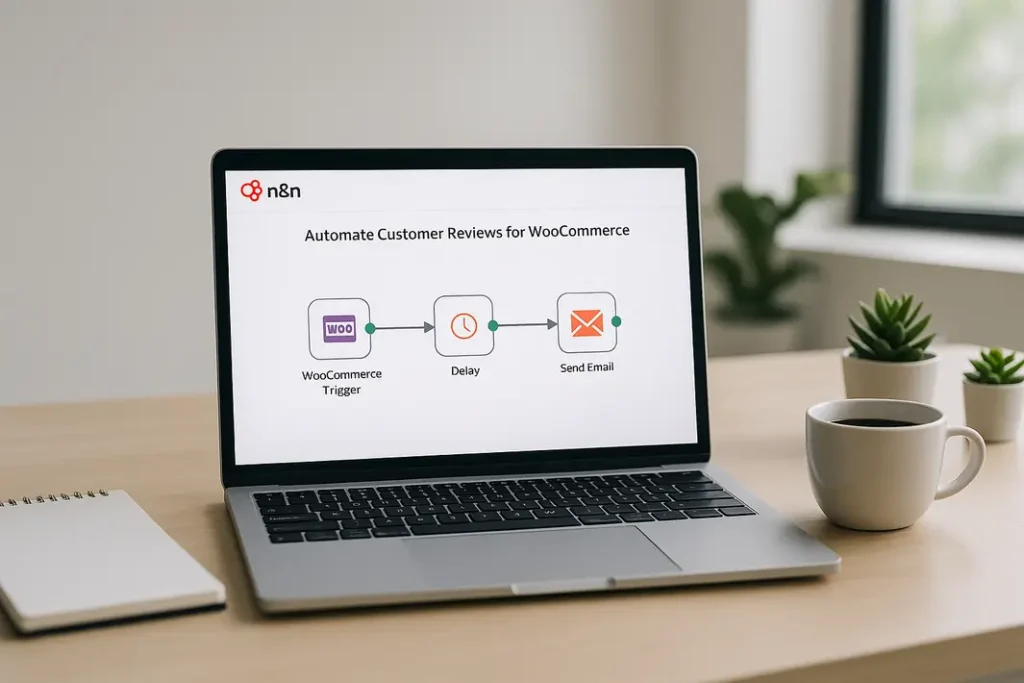
Collecting high-quality, authentic customer reviews is crucial for WooCommerce store owners who want to improve trust, enhance product pages, and drive more conversions. Traditionally, asking customers for feedback has been a manual, time-consuming process, leading to missed opportunities and fewer reviews collected overall. However, by leveraging workflow automation tools like n8n, WooCommerce site managers can streamline and optimize the way they gather reviews. This tutorial will demonstrate how to use n8n, a flexible workflow automation platform, for efficient WooCommerce customer reviews automation. You’ll learn not just the technical steps, but also the strategic considerations for timing, messaging, and data handling—enabling your online store to automate collecting WooCommerce product reviews with n8n while maintaining a personal, customer-friendly touch. Whether you’re already familiar with n8n, or are just starting to explore workflow automation, this detailed n8n tutorial for WooCommerce review collection will guide you through every step.
Why Automate WooCommerce Customer Reviews Collection?
The Importance of Timely Reviews
Customer reviews are among the most influential types of social proof for online shoppers. Yet, it often takes a gentle nudge after a purchase to motivate buyers to leave feedback. Sending timely and relevant review requests can significantly increase your review rates. Manual follow-up, however, isn’t scalable especially as sales grow. By implementing n8n WooCommerce customer reviews automation, store owners can ensure that every customer receives a friendly request at the optimal time post-purchase, boosting the likelihood of response and review submission.
Benefits of Automation
Automating WooCommerce customer feedback with n8n offers several benefits:
- Consistency: Every customer receives a review request, minimizing human error or delays.
- Time Savings: Reduces repetitive manual tasks for you or your team.
- Personalization: Dynamic emails can be customized based on order details or customer segments.
- Scalability: As your WooCommerce store grows, your review collection process scales alongside effortlessly.
Setting Up n8n and WooCommerce Integration
Preparations Before Automation
To get started with n8n workflow for WooCommerce reviews, make sure you have operational WooCommerce and n8n environments set up. n8n can be installed locally, on your own server, or via a cloud service. Meanwhile, WooCommerce should be configured with a working API key that grants permissions to read order data and, ideally, send customer information securely to your automation workflow.
Connecting WooCommerce to n8n
n8n offers a WooCommerce node that facilitates direct integration. Here’s how to connect them:
- Create or enable REST API keys in WooCommerce with read access for orders and customers.
- Inside n8n, add the “WooCommerce” node and input the API URL, consumer key, and secret.
- Test the connection by triggering a request to fetch sample orders. Confirm that order and customer data is accessible within your n8n environment.
This foundational step is crucial for n8n and WooCommerce review automation guide, as it ensures that n8n can retrieve new orders and customer details needed for automated reviews requests.
Designing the Review Request Workflow in n8n
Triggering the Workflow Automatically
Your n8n workflow for WooCommerce reviews should begin with a trigger. The most common trigger types are scheduled intervals (e.g., every day/hour) or event-based triggers, such as detecting new orders via webhook or polling.
- Schedule Trigger: Runs the workflow periodically to check for orders that haven’t yet received review requests.
- Webhook Trigger: Fires the workflow in real-time as soon as WooCommerce logs a new order.
For most stores, a scheduled trigger—such as every 24 hours—strikes an ideal balance between performance and timely engagement, allowing you to automate collecting WooCommerce product reviews with n8n in a consistent manner.
Filtering Eligible Orders
It’s important to only target customers whose orders are delivered or fulfilled. Use an additional n8n “Filter” node to check the order status (e.g., “Completed”). This helps ensure review requests reach customers at the right time, enhancing response rates while minimizing negative experiences from people who haven’t yet received their items.
Personalizing and Sending Review Request Emails
Dynamic Email Content Creation
The next part of WooCommerce automated review requests using n8n is crafting the actual review request messages. Use n8n’s built-in “Set” or “Function” nodes to structure personalized email content using customer names, order details, or even product recommendations. You can pull this data dynamically from the order payload, enabling highly tailored communication.
Integrating with Email Platforms
n8n connects with various email providers like Gmail, SMTP, or specialized services (e.g., SendGrid or Mailjet). Here’s how to configure the delivery:
- Insert an “Email” node after the data preparation stage.
- Connect to your preferred provider and map fields like recipient email, subject, and the review request message body.
- Optionally, include direct product links to streamline the process for customers to submit feedback.
This step is fundamental for using n8n to gather product reviews in WooCommerce efficiently.
Tracking Responses and Managing Feedback
Monitoring and Logging Reviews
To close the feedback loop, your workflow can optionally track incoming reviews. One method is to monitor WooCommerce for new reviews using a scheduled n8n trigger and then log this feedback to a CRM, Google Sheet, or database for further analysis. This not only lets you quantify the success of your n8n tutorial for WooCommerce review collection but also gives you valuable contacts for loyalty-building follow-ups.
Handling Unsubscribes and Customer Preferences
Maintaining customer trust means giving recipients an option to opt out of future review requests. Incorporate a unique unsubscribe link in each email, and when customers click it, use another n8n workflow to update preferences and exclude them from subsequent automations. This helps automate collecting WooCommerce product reviews with n8n while respecting user choices.
Optimizing and Scaling Your Automated Workflow
Continuous Improvement Strategies
A sophisticated n8n and WooCommerce review automation guide doesn’t end at the first successful workflow. Monitor open rates, click rates, and actual review conversion rates to optimize both your messaging and the timing of requests. Simple A/B testing can reveal which subject lines or delays post-fulfillment yield the most feedback, letting you fine-tune your automation for higher performance.
Scaling for Volume and Integrations
As your business grows, you may want to extend your automation to target multiple WooCommerce stores, languages, or product categories. n8n’s modular workflow structure makes it easy to clone and adjust automations, while its integration capabilities support linking your data with other marketing or analytics tools for a holistic customer engagement approach.
Summary
Automating the process of collecting customer reviews from WooCommerce can have a transformative impact on your store’s trustworthiness and conversion rates. Through the step-by-step approach outlined in this n8n and WooCommerce review automation guide, you’ve learned how to connect WooCommerce to n8n, automate the sending of personalized review requests, track responses, and continuously improve your workflow. Leveraging n8n not only saves time but empowers store owners to create a seamless, scalable customer feedback loop—boosting engagement without sacrificing the personal touch. As you iterate and expand on these workflows, you’ll build a repository of valuable customer insights and public reviews that help your store stand out in a crowded ecommerce landscape.
FAQ
How do I trigger n8n workflows for WooCommerce order completion?
You can trigger a workflow either by scheduling regular checks for completed orders using n8n’s “Cron” node or by setting up a WooCommerce webhook that runs the workflow as soon as an order is marked as completed. Each method ensures timely initiation of review requests.
Can n8n send review requests to multiple email addresses?
Yes, n8n can extract and handle multiple recipient addresses from order data. This is useful for B2B transactions or group orders. However, it’s best practice to tailor communications to primary buyers for best engagement and privacy.
What should I do if customers want to opt out of review emails?
Add an unsubscribe link or instructions in your emails. Use n8n to process opt-out requests by marking user preferences in your database or email tool, ensuring that future automations exclude these recipients from review solicitation workflows.
Is it possible to collect product-specific feedback with n8n and WooCommerce?
Absolutely. You can include individualized product links in each email, guiding customers to specific product review pages. By automating this with n8n, responses remain relevant to what each customer purchased, improving the quality of your review data.
Can I integrate n8n WooCommerce customer reviews automation with CRM tools?
Yes, n8n supports integration with popular CRM systems via dedicated nodes or generic HTTP/Webhook interfaces. This allows you to log reviews, update customer profiles, and even trigger additional automations based on collected feedback.