how to automate WooCommerce product image management using n8n
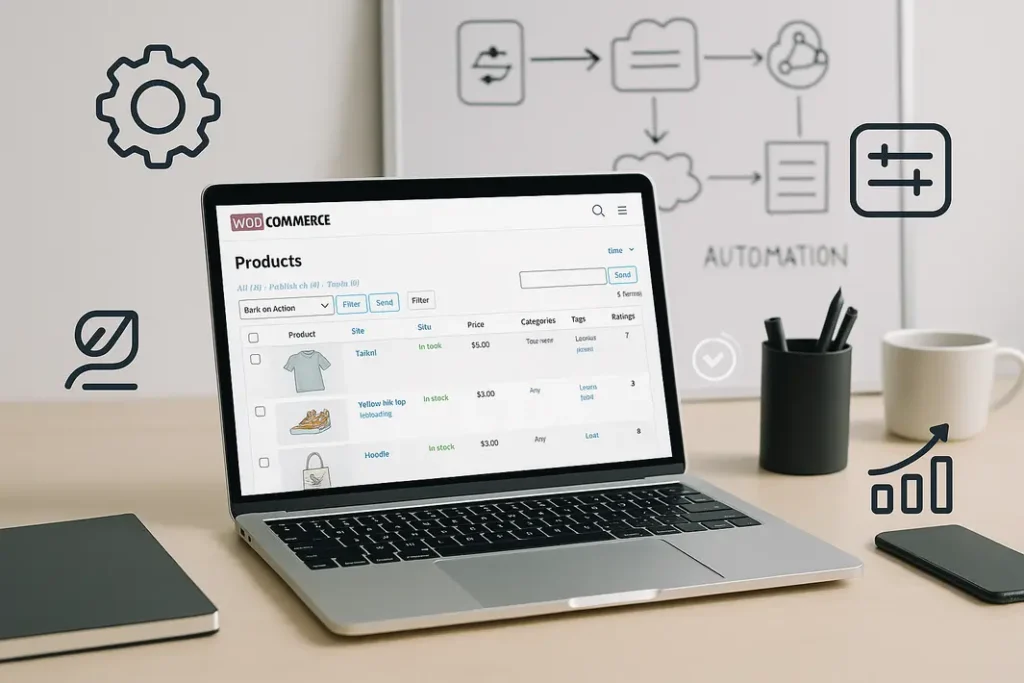
Managing product images in WooCommerce is a crucial part of maintaining a successful eCommerce website, but manual updates and changes can quickly become exhausting, especially when dealing with hundreds or thousands of products. The process typically involves uploading images, resizing them, attaching them to the correct products, and keeping the gallery updated—all of which are time-consuming and susceptible to errors. This is where workflow automation tools like n8n can transform your WooCommerce image management processes.
This article will guide you through how to automate WooCommerce product images with n8n. You’ll discover how to set up efficient workflows, connect your WooCommerce store to n8n, and streamline every aspect of image updates, uploads, and synchronization. By implementing an n8n workflow for WooCommerce images, you’ll reduce manual intervention, speed up operations, and ensure that your product images are consistently managed and always up to date. Let’s explore how n8n image management WooCommerce automation can transform your workflow for the better.
Understanding the Challenge of Manual WooCommerce Product Image Management
The Complexities of WooCommerce Image Handling
WooCommerce is a powerhouse platform, but product image management often becomes a bottleneck as your store grows. Every product ideally should have high-quality images, featured photos, and gallery shots. When adding new inventory or updating existing products, the repetitive process of downloading, processing, and uploading images is not only tedious—it’s a drain on human resources. Mistakes often occur: incorrect images, missing images, or unoptimized file sizes that slow down your site.
Consequences of Inefficient Image Management
Manual processes introduce the risk of inconsistency, delays, and website performance problems. These issues can frustrate customers and negatively impact conversion rates. Retailers may also struggle to maintain branding standards or keep pace with large catalogs. This all points toward the need for a robust, scalable, and automated solution to manage WooCommerce product images efficiently.
Why Use n8n for WooCommerce Product Image Automation?
What Is n8n and How Does It Work?
n8n is an open-source workflow automation tool that enables integrations across a variety of apps and systems with no-code or low-code logic. Its flexible node-based system means you can connect triggers and actions to automate complex, repetitive backend tasks. For WooCommerce store managers, n8n provides the ability to automate image updates and synchronization seamlessly, using a visual interface that can be adapted to fit unique requirements.
Benefits of Using n8n with WooCommerce
- Scalability: Manage product images for stores of any size without increasing manual workload.
- Consistency: Ensure that every product’s images meet your store’s standards and aesthetic.
- Error Reduction: Eliminate common mistakes like mismatched or missing images.
- Integration: Connect to storage services (Google Drive, Dropbox), image optimizers, or other eCommerce platforms.
By leveraging n8n WooCommerce product image automation, you can maintain a competitive edge in product presentation without sacrificing efficiency.
How to Set Up an n8n Workflow for Automated WooCommerce Image Management
Initial Preparation and Requirements
Before setting up your workflow, ensure you have admin access to your WooCommerce store and an operational n8n instance (self-hosted or cloud). You’ll also need API credentials for both WooCommerce and any external image storage or optimization service you plan to integrate.
Designing Your n8n Workflow for WooCommerce Images
Here’s a step-by-step example of how to automate image updates in WooCommerce with n8n:
- Trigger: Decide how to initiate image updates—manually, on a schedule, or in response to an event (for example, new image files uploaded to a folder).
- File Retrieval: Use an n8n “HTTP Request” or storage node to fetch product image files (from Dropbox, Google Drive, SFTP, or a URL).
- Image Processing: Optionally pass images through external optimizers or resizing services using n8n connector nodes.
- Mapping: Link the images to the correct WooCommerce products using product SKUs or IDs as unique identifiers.
- WooCommerce Node: Use n8n’s built-in WooCommerce node with your API credentials to update product records and attach the images.
- Notification/Logging: Add email or Slack nodes to notify your team or log all updates for transparency.
Each element of your workflow can be customized for your store’s unique catalog and operational needs. This modularity is a key advantage of using n8n image management WooCommerce workflows.
Automating Common Image Tasks: Uploads, Updates, and Optimization
Automating Image Uploads in WooCommerce with n8n
n8n supports automated uploads by monitoring folders or receiving files via webhook and then programmatically creating media entries in WooCommerce. For example, you can set n8n to watch a Dropbox or Google Drive folder where your team uploads new product images. When a new image appears, n8n retrieves the image, matches it with the right product (based on filename, metadata, or a lookup spreadsheet), and uploads it directly to WooCommerce via the REST API.
Updating Existing Product Images Automatically
If you regularly improve your product images—perhaps after reshoots or seasonal campaigns—you don’t need to rely on manual batch edits. n8n can compare image timestamps or hash values to detect changes and then update only the necessary products in your WooCommerce catalog. This way, your product gallery always reflects the latest and best visuals.
Image Optimization Process in the Workflow
To keep your site fast, images should be optimized before upload. n8n can connect to third-party optimizing services or run local scripts using nodes like “HTTP Request” or “Execute Command.” The processed, web-ready images are then uploaded, reducing file sizes and protecting site speed without manual intervention. This is key to robust n8n WooCommerce automated image uploads.
Maintaining Consistency and Error Reduction with Automated Image Handling
Standardized Naming and Organization
One of the biggest challenges in eCommerce image management is naming conventions. When images don’t match product SKUs or conventions, they’re difficult to automate. n8n workflows can incorporate logic to rename files before upload, organize folders based on product type or date, and ensure every image is where it needs to be. For example, you could automatically rename incoming files to the appropriate SKU-product format, simplifying product-image mapping later in the process.
Error Logging and Notification
Automated processes must be monitored to catch exceptions or issues (such as missing product associations or image upload failures). n8n easily integrates email, Slack, or webhook notifications into its workflows, alerting your team instantly if anything goes awry. Clear, searchable logs make it easy to audit what happened and where, making problem resolution swift and effective, and helping you maintain confidence in your automated workflows.
Advanced Customization: Tailoring Image Automation to Your Store’s Needs
Conditional Logic and Custom Integrations
Every WooCommerce store is different. n8n workflows can include conditional logic to handle product-specific requirements—such as assigning a unique image to variable product options or skipping image uploads for certain categories. Additionally, n8n’s open architecture allows for integration with DAM (Digital Asset Management) systems, ERP software, or cloud databases, making your product image management as sophisticated as your business demands.
Scaling and Evolving Workflows
As your store grows, your automation needs will evolve. n8n makes it easy to clone, tweak, and extend existing workflows. You can quickly accommodate new product lines, update naming conventions, or add new triggers (like pulling seasonal image directories every quarter) without reengineering your system. This ensures long-term sustainability and relevance of your n8n WooCommerce product image automation solution.
Summary
Automating WooCommerce product image management using n8n can dramatically reduce the manual workload associated with maintaining a large eCommerce catalog. By setting up an n8n workflow for WooCommerce images, you gain consistency, minimize errors, and streamline updates and uploads. Whether you’re processing new photos, optimizing and resizing files, or keeping your product gallery synchronized with external image stores, n8n’s modular and extensible workflow architecture adapts to your needs. Over time, this automation results in hours saved, improved site performance, and a much smoother experience for your store admins and customers. Leveraging n8n image management WooCommerce automation is a smart investment for scaling retailers who want to stay efficient and competitive.
FAQ
How can I automate WooCommerce product image uploads with n8n?
To automate WooCommerce product image uploads with n8n, set up a workflow that monitors a cloud folder or receives images via webhook, processes the files as needed, and uses the WooCommerce API node to attach them to the correct products based on identifiers like SKU or product ID.
What are the benefits of using an n8n workflow for WooCommerce images?
An n8n workflow reduces manual labor, prevents common errors, and helps maintain consistent, high-quality product images. You get scalable automation, easier integration with other services, and customizable logic for handling product-specific image needs.
Can n8n automatically optimize images before uploading to WooCommerce?
Yes, n8n can connect with image optimization services or run on-premise scripts to resize, compress, or convert images before uploading them to WooCommerce, ensuring your site remains fast and efficient.
How do I connect external image sources to WooCommerce with n8n?
You can use n8n’s storage and HTTP request nodes to fetch files from Google Drive, Dropbox, an FTP/SFTP server, or via direct URLs, then use mapped data to accurately update product records in WooCommerce.
Is it possible to automate image updates for existing products in WooCommerce?
Absolutely. With n8n, you can compare timestamps, filenames, or metadata to detect updated images and then automatically update product galleries or featured images in your WooCommerce store without manual intervention.