how to automate WooCommerce order tracking with AI tools for small businesses
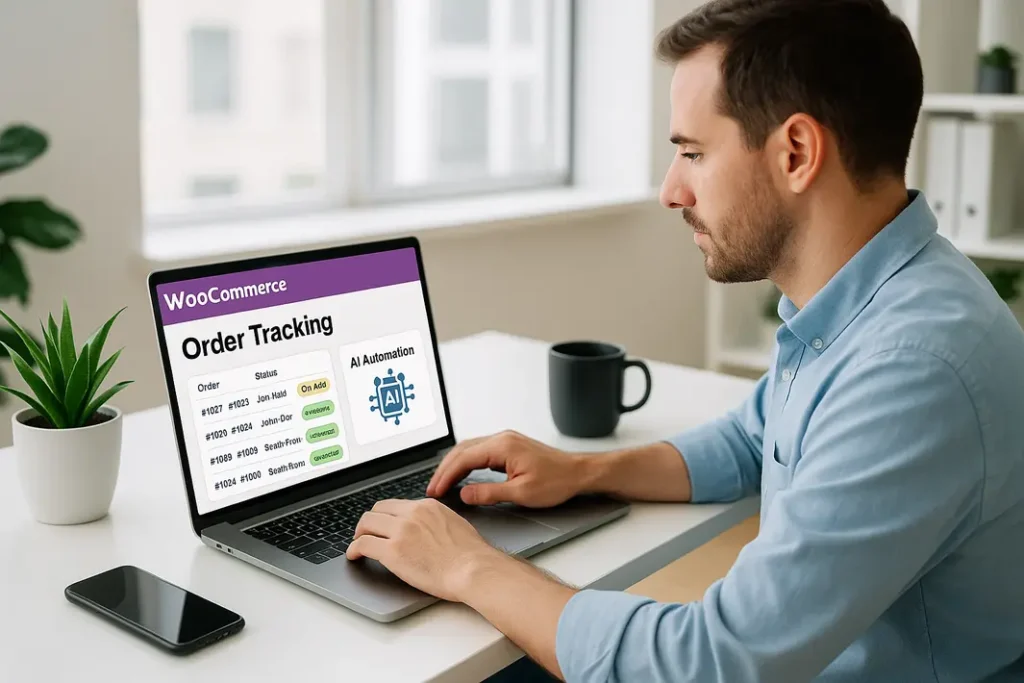
Efficient order tracking is crucial for small businesses running WooCommerce stores. Manual monitoring and updating of order statuses often becomes overwhelming as order volumes grow, resulting in delayed updates, dissatisfied customers, and wasted staff hours. With advancements in AI technology, small business owners can now leverage affordable and easy-to-use AI tools to automate WooCommerce order tracking. This guide explains, step-by-step, how to implement AI-powered automation for order and shipping updates, helping your business improve operational efficiency and customer satisfaction.
Understanding the Basics of WooCommerce Order Tracking Automation
What is order tracking automation?
Order tracking automation in WooCommerce consists of using software to automatically update customers about their order status, from purchase through shipment and delivery. Traditionally, this involved manual interventions—updating order statuses, sending emails, or inputting tracking numbers. Automation removes repetitive tasks and reduces human error.
Why use AI for WooCommerce order tracking?
AI streamlines repetitive processes by leveraging intelligent algorithms that can read tracking data, parse emails, and send proactive notifications. With AI tools for WooCommerce shipping updates, you can connect your store with shipping carriers and receive automated tracking information that’s then relayed to customers. Using AI automates WooCommerce tracking updates, making your store appear more professional, responsive, and reliable.
Selecting the Right AI Tools for WooCommerce Shipping Automation
Overview of available AI tools
There are several AI-driven solutions available for WooCommerce shipping automation. These range from dedicated order tracking plugins with AI enhancements to general workflow automation platforms that integrate with WooCommerce and shipping carriers. Top options include tools like TrackMage, AfterShip, and Zapier, which enable AI-powered tracking updates and seamless system integrations.
- TrackMage: Offers AI-driven email and SMS notifications, real-time shipment status, and customizable tracking pages.
- AfterShip: Integrates with WooCommerce to fetch tracking numbers, identify carrier updates, and notify customers automatically.
- Zapier: Creates custom AI workflows for WooCommerce tracking by connecting your store with third-party applications and using logic-based automation.
Key features to look for
When choosing a tool, small businesses should prioritize features such as real-time synchronization with shipping carriers, multi-channel notification capabilities, advanced AI data parsing, and compatibility with common shipping providers. Ensure that the chosen tool also supports customizable notifications so your brand voice remains consistent across updates.
Setting Up AI Workflow for WooCommerce Tracking
Preparing your WooCommerce store
Before configuring an AI workflow for WooCommerce tracking, it’s important to ensure your store’s order processing system is organized. Verify that your order statuses are correctly mapped, your shipping plugins are integrated, and your tracking number fields are enabled on the WooCommerce order screen.
Integrating your chosen AI tool
Most AI tools for WooCommerce shipping updates offer plugins or modules for easy integration. For example, installing and activating the AfterShip plugin in WooCommerce allows the system to fetch tracking numbers from new orders automatically. If using Zapier, connect the WooCommerce app, select the order completion trigger, and set up an action to send shipping details to an email or SMS service powered by AI.
Configuring automation rules
The most effective small business WooCommerce order automation relies on smart rules. Set up triggers so that, when tracking numbers are added or updated, the AI tool automatically sends notifications and pulls real-time status from carrier APIs. Test your setup thoroughly to ensure accuracy and reliability before deploying for all orders.
Customizing Automated Notifications for Your Customers
Personalizing the customer experience
Customization is essential to differentiate your small business. With advanced AI tools, you can tailor notification templates, making them more engaging and personalized. Add your company logo, custom messaging, and dynamic variables such as customer name, order details, and tracking links.
Multi-channel updates
Modern AI-powered order tracking tools support various communication channels, including email, SMS, and even messaging apps like WhatsApp. Enabling multi-channel notifications ensures your customers always remain informed, no matter their preferred platform. Set up your AI tool to send notifications whenever an order ships, is out for delivery, or has been delivered—with all updates coming straight from the order tracking system.
Monitoring, Optimizing, and Scaling Your Automation Workflow
Tracking automation performance metrics
Once AI automation for WooCommerce tracking updates is live, regularly monitor key metrics. Track open rates for update emails, time-to-notification after carrier update, and customer feedback regarding order visibility. Many AI platforms offer dashboards with insights on automation success and delivery rates.
Optimizing for efficiency
Review the workflows periodically—identify bottlenecks, failures, or customer confusion points. Experiment with different notification styles, timings, and channels. Advanced AI-driven tools can even suggest workflow improvements based on user engagement data, helping your small business WooCommerce order automation become more robust over time.
Scaling up as your business grows
As your order volume increases, most AI tools can easily scale with your needs by simply upgrading to higher-tier plans or activating new integrations. Ensure your solution supports batch processing, bulk notifications, and advanced reporting as your operations expand.
Ensuring Security and Compliance in an Automated Workflow
Protecting customer data
Security is critical when handling sensitive information through automated systems. Choose AI tools that offer end-to-end encryption, strict access controls, and compliance with local data protection laws (such as GDPR). Always keep your plugins and tools updated to patch vulnerabilities.
Maintaining compliance with regulations
Some regions have strict rules on customer communications and data privacy. Make sure your WooCommerce shipping automation with AI allows customers to opt out of updates, and clearly communicates how their data will be handled. Proper documentation and a reliable privacy policy protect both you and your customers in the long run.
Summary
Automating WooCommerce order tracking with AI tools empowers small businesses to deliver faster, more reliable shipping updates, improving both operational efficiency and customer experience. By selecting robust AI-powered plugins or workflow platforms, integrating them with WooCommerce, and configuring smart, personalized notifications, you eliminate manual errors and free up your team’s valuable time. Ongoing monitoring and optimization ensure your shipping automation stays effective as your business grows, while robust data security and compliance measures build trust with your customers. Ultimately, small business WooCommerce order automation with AI drives higher satisfaction, efficiency, and scalability—all while staying remarkably accessible and affordable in today’s e-commerce landscape.
FAQ
How can I use AI to automate WooCommerce order tracking updates?
You can implement AI tools—like TrackMage, AfterShip, or Zapier—to automatically fetch tracking data from carriers and push real-time updates to customers through emails or SMS. These integrations streamline all routine tracking communication in WooCommerce without manual involvement.
What AI tools are best for small businesses using WooCommerce?
TrackMage and AfterShip are popular for their seamless plugins, while Zapier offers customizable automation for specific needs. They all support real-time order tracking, automatic notifications, and bulk processing suitable for small business budgets and workflows.
Will AI-powered automation work with my current shipping carriers?
Most AI-driven WooCommerce tracking tools support a wide range of carriers globally, including major options like UPS, FedEx, DHL, and USPS. It’s important to verify your chosen AI tool lists your carriers among its integrations before you begin the setup process.
Is order tracking automation with AI difficult to set up?
Modern AI tools for WooCommerce are designed for ease of use. Most require just a few configuration steps through the WooCommerce dashboard and typically provide setup guides and templates, making it accessible for those without extensive technical backgrounds.
How does automating WooCommerce tracking impact customer satisfaction?
Automatic, timely order updates powered by AI significantly reduce customer anxiety and support inquiries, improving satisfaction and loyalty. Personalized, multi-channel notifications also enhance the post-purchase experience, building trust in your small business.