how to automate social media posts with n8n for WooCommerce stores
Introduction
For WooCommerce store owners, maintaining a strong social media presence is crucial for driving traffic, promoting products, and boosting sales. However, juggling multiple social platforms and keeping them updated with new product launches or seasonal promotions can be both time-consuming and error-prone. Automation is the answer to this challenge. With n8n, an open-source workflow automation tool, you can streamline and simplify the process of cross-posting WooCommerce products to platforms like Facebook and Instagram. By implementing n8n WooCommerce social media post automation, you free up valuable time, ensure consistency in your messaging, and instantly reach your audience with the latest updates. This article serves as a detailed, step-by-step guide for how to automate social media posts with n8n for WooCommerce stores, helping you reduce manual effort and establish a workflow that scales with your business goals. We’ll explain the integration process, required plugins and tokens, typical workflow structures, and provide best practices for ongoing management.
Understanding n8n and Its Integration with WooCommerce
What is n8n?
n8n is a powerful workflow automation platform that allows you to connect various apps and services using customizable logic. Unlike proprietary automation services, n8n is open-source and self-hosted, giving you granular control and privacy. For WooCommerce stores, n8n can act as an automation engine—triggering workflows when new products are added, extracting relevant information, and dispatching formatted posts to social media platforms automatically.
Connecting n8n to WooCommerce
To begin with n8n WooCommerce social media post automation, you first need to set up API integration. WooCommerce provides a REST API that enables external tools to read product details. In n8n, use the WooCommerce node to authenticate via Consumer Key and Secret. Once connected, you can trigger workflows on product creation, updates, or at scheduled intervals to retrieve product data for sharing on social media.
Preparing for Social Media Automation
Platform Access and API Tokens
Before streamlining WooCommerce posts to social media with n8n, ensure you have valid API access for the target platforms. Meta (for Facebook and Instagram) requires API tokens or connected apps with appropriate permissions. Set up developer accounts and generate tokens to allow n8n to post on your behalf. Carefully follow the respective platform documentation for configuring app permissions and getting long-lived access tokens.
Data Formatting and Content Planning
Automated social posts should be visually consistent and informative. Plan template messages for new product releases or updates. Use n8n’s built-in functions to combine product names, descriptions, prices, and images into formatted posts. Preview your templates before publishing to ensure they align with your brand tone and platform requirements (such as image size restrictions or character limits).
Building the Workflow: n8n Workflow Examples for WooCommerce Social Posting
Designing Your Basic Workflow
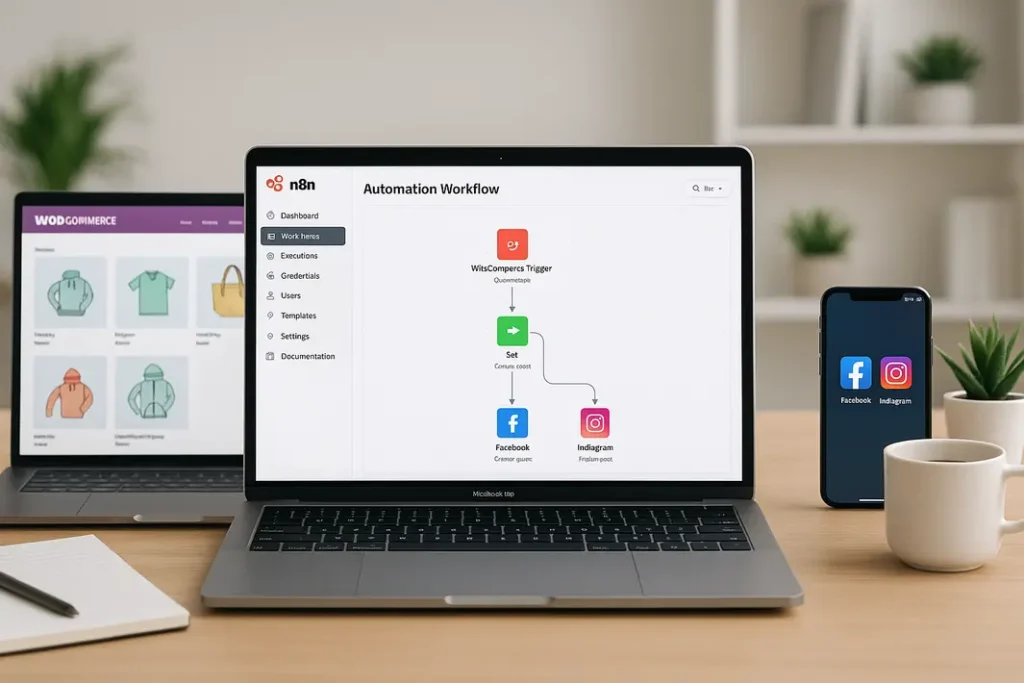
At the heart of n8n tutorials for WooCommerce social media automation is the workflow design. Here’s a simplified outline:
- Trigger: Use either the WooCommerce Webhook node to start the workflow instantly on product changes, or a Cron node for scheduled batch posts.
- Retrieve Product Data: The WooCommerce node fetches required fields—such as title, URL, image, and price.
- Format Post Content: Use the Set and Function nodes to build your post captions, hashtags, and links dynamically from the product data.
- Send to Social Platforms: Add nodes for Facebook and Instagram, equipped with your API tokens, to publish the pre-formatted content.
- Error Handling: Integrate IF or Error Trigger nodes to notify you of posting failures or API errors.
This skeleton serves as a foundation, adaptable by adding approval steps, image resizing actions, or multi-language support as desired.
Automate WooCommerce Facebook Posts with n8n
Using n8n, sending automated updates to your Facebook Page is straightforward. The Facebook Graph API node requires Page Access Token authorization. Upon product creation in WooCommerce, the workflow extracts the necessary fields and composes a Facebook post. Schedule posts for peak engagement times, handle media uploads, and even monitor post statistics using n8n’s modular nodes and logic functions. Careful error checking ensures that if a post fails due to token expiration, the workflow alerts you for re-authentication without disrupting the rest of your automation.
Automate WooCommerce Instagram Posts with n8n
Technical Requirements and Limitations
Instagram automation is more restrictive than Facebook due to platform policies. To automate WooCommerce Instagram posts with n8n, you must use the Instagram Graph API, which requires a connected Facebook Page and an Instagram Business Account. n8n can be set up to upload product images, captions, and hashtags extracted from WooCommerce. However, video posts and advanced creative types might require additional app permissions or manual review.
Streamlining Instagram Post Workflows
Begin your workflow by retrieving new or featured product data from WooCommerce. Use n8n’s HTTP Request or community Instagram nodes to upload images and captions to your Instagram profile. Schedule posts for optimal visibility, ensure image formats comply with Instagram’s standards, and test with sandbox accounts before pushing live. Monitor API rate limits to avoid automation disruptions and ensure ongoing compliance with Instagram’s evolving terms of service.
Advanced Tips for Customization and Scaling
Enhancing Your Workflows
After mastering basic n8n workflow examples for WooCommerce social posting, consider enhancements for efficiency and engagement. Incorporate content calendar nodes to batch schedule posts, add translation functionalities for multi-regional stores, and utilize analytics nodes to track engagement rates. Use n8n’s modular approach to expand workflows as your store grows; for instance, add Pinterest or Twitter posting nodes, or trigger posts from stock-level changes and flash sales announcements.
Managing Growth and Troubleshooting
As your automated social posting operation scales, review logs regularly, configure robust error notifications, and refine post templates based on audience feedback. Use environment variables in n8n for easier credential switches when deploying across staging and production. Periodically audit API credentials, update app permissions, and ensure all platforms are compliant with current policies to minimize disruptions. Encourage stakeholder feedback on post efficacy for continuous improvements in your workflow.
Summary
n8n offers WooCommerce store owners a flexible, cost-effective solution for automating social media posts across major platforms. By interlinking WooCommerce’s product data with social channels like Instagram and Facebook, businesses can save time, reduce manual errors, and boost the impact of their marketing campaigns. Setting up automated workflows with n8n involves configuring platform APIs, planning content, and designing robust posting pipelines. With ongoing refinement, error handling, and platform compliance, WooCommerce businesses can focus more on growth and customer engagement, knowing that their social media presence is proactive and professional.
FAQ
How do I set up WooCommerce API access for n8n?
Generate API keys in WooCommerce by navigating to WooCommerce > Settings > Advanced > REST API and creating a new key with appropriate permissions. Enter these keys into the n8n WooCommerce node to establish a secure connection for retrieving product data.
What are the main challenges in automating WooCommerce Instagram posts with n8n?
The main challenges include obtaining the correct Instagram API permissions, handling image format restrictions, and adhering to Instagram’s usage limitations. Testing with sandbox accounts and monitoring API limits are recommended best practices for uninterrupted automation.
Can n8n handle post scheduling and not just instant posting?
Yes. n8n’s Cron node or custom time fields can schedule posts for future dates and specific times. This feature helps align product launches with peak audience engagement or planned marketing events for better campaign effectiveness.
Is n8n suitable for scaling up to multiple social platforms?
Absolutely. n8n’s modular structure supports adding new nodes for other social platforms, such as Twitter or LinkedIn, and can handle multiple posting pipelines. As your business grows, workflows can be updated to maintain performance and reach.
How do I ensure posts reflect my brand’s voice and style when automating?
Use n8n’s Set and Function nodes to template captions, include your brand’s hashtags, and format content to align with your guidelines. Regularly review and update post templates based on analytics and customer engagement to ensure ongoing relevance and quality.