how to use n8n to automate WooCommerce shipment tracking updates
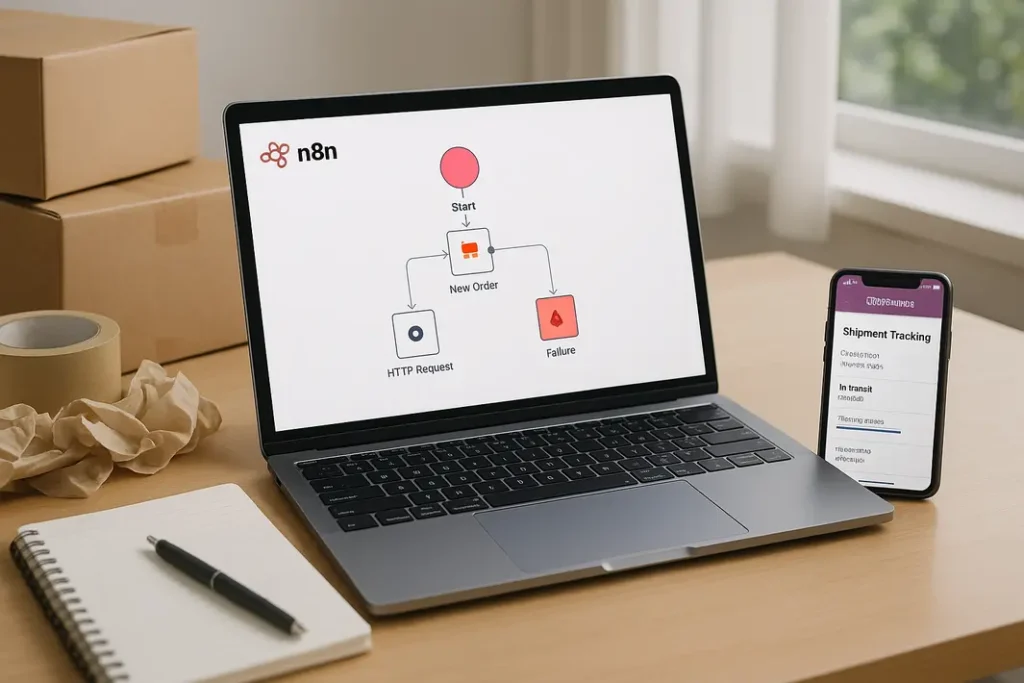
Shipping management is critical to the success of any e-commerce business, especially for WooCommerce stores where order fulfillment speed and communication heavily influence customer satisfaction. Manual updates of shipment tracking details in WooCommerce not only consume valuable time but can also lead to errors, delays, and customer confusion. Fortunately, the rise of automation tools like n8n provides a compelling solution. By setting up an effective n8n workflow for shipping updates in WooCommerce, you can make shipment notifications seamless, reduce manual intervention, and enhance the post-purchase experience your customers receive. This guide walks through the complete process of using n8n WooCommerce shipment automation, from foundational setup to real-world configuration and optimization tips.
Understanding n8n and WooCommerce Integration
Before diving into automation, it’s essential to grasp what n8n is and why it’s a powerful option for automating WooCommerce tracking updates. n8n is an open-source workflow automation platform that allows users to visually connect and automate processes between different apps and services, including WooCommerce. Its flexibility and ease of use make it an appealing choice, even for non-developers who want to build advanced automations.
Benefits of Integrating n8n with WooCommerce
- Scalability: As your order volume grows, n8n automations handle increased tracking updates without extra manual work.
- Customization: Workflows can be tailored to send different notifications, sync with multiple couriers, or trigger on various order statuses.
- Reliability: Automated processes minimize human errors and ensure customers get timely, accurate shipping information.
Integrating n8n with WooCommerce typically involves connecting WooCommerce’s REST API with n8n’s visual workflow builder. This setup unlocks a broad range of automated WooCommerce shipping notifications via n8n, responding to order events and tracking updates in real time.
Preparing WooCommerce and n8n for Automation
An efficient automation process starts with proper setup. WooCommerce offers a powerful API, but it must be configured correctly. Likewise, n8n should be deployed and securely accessible for consistent operation.
Setting up WooCommerce API Access
- Log in to your WooCommerce dashboard, go to WooCommerce > Settings > Advanced > REST API, and click “Add Key.” Give it a proper description, select a user, and assign Read/Write permissions.
- After saving, WooCommerce provides Consumer Key and Consumer Secret—save these securely as they will be required in n8n.
Installing and Running n8n
- n8n can be installed locally, on a remote server, or via cloud solutions, depending on your needs. Official instructions are available on the n8n site.
- For stability, ensure your n8n instance runs as a background service or Docker container.
With credentials set up on both sides, you can now begin building and testing n8n workflows for WooCommerce shipping updates.
Building the n8n Workflow for Shipping Updates in WooCommerce
The core of automating WooCommerce tracking with n8n lies in creating workflows that listen for shipment status changes and push updates to customers. The process can be structured around API polling, webhooks, or integrations with shipping plugins.
Basic Steps to Create the Workflow
- Trigger Node: Start your n8n workflow with a trigger node. This could be a Webhook (for receiving events from WooCommerce or a shipping plugin) or a Schedule node (for periodic checks).
- WooCommerce Node: Use the WooCommerce node to fetch order details, particularly tracking information and customer email addresses.
- Logic/Filter Nodes: Add IF or Switch nodes to check if a shipment tracking number has changed or if an order status is updated to “shipped.”
- Email/SMS Nodes: Trigger your preferred notification method (such as Send Email, Twilio SMS, or Slack nodes) to alert customers about their shipment and tracking number.
Example: Simple Tracking Notification Workflow
- Webhook Trigger: Receive a webhook from WooCommerce when a shipment tracking number is updated.
- Get Order: Retrieve complete order information from WooCommerce, focusing on shipment data and customer contact.
- Filter: Ensure the workflow continues only if the shipment tracking field is populated or has changed.
- Send Notification: Use n8n to send a personalized email or SMS containing the tracking ID and a link to track the parcel.
This foundational process can be extended to handle multiple stores, different couriers, or customized notification templates, allowing you to fully automate WooCommerce tracking with n8n.
Enhancing Automation with Third-Party Shipping Plugins
Many WooCommerce stores use shipping management plugins that add advanced tracking and carrier integrations. n8n can interact with these plugins, significantly streamlining n8n WooCommerce shipment automation for complex stores.
Integration Strategies
- Webhooks from Shipping Plugins: Several popular plugins (like “WooCommerce Shipment Tracking” or “TrackShip”) support webhook notifications when tracking information updates. Configure your plugin to post updates to an n8n webhook, which can then drive your automation workflow.
- Plugin-Specific API: Some shipping plugins offer their own APIs. n8n’s HTTP Request node or custom nodes can fetch tracking status, which can be merged with WooCommerce order information.
By leveraging these plugin integrations, you can set up n8n WooCommerce shipping alerts that are more reliable, real-time, and carrier-specific—minimizing missed notifications or inaccurate data transmissions.
Customizing Automated WooCommerce Shipping Notifications in n8n
Sending tracking numbers is only part of creating an excellent shipping experience. Customers appreciate branded, informative, and well-timed updates. n8n makes it easy to personalize and enhance these notifications.
Best Practices for Notification Customization
- Personalization: Use dynamic fields in n8n nodes to address customers by name, insert order details, and provide direct tracking links.
- Branding: Design notification templates (email or SMS) to include your logo, colors, and a consistent voice to reinforce brand trust.
- Timing: Combine IF and Delay nodes to schedule reminders, follow-ups, or status changes so that customers remain informed throughout order transit.
Using n8n for WooCommerce shipment updates also allows you to route critical updates to your internal team (via Slack or email) if a shipment is delayed, ensuring fast resolution and improved customer service.
Troubleshooting and Optimizing Your n8n Automation
Even robust automations can occasionally fail or not work as intended. It’s important to monitor, debug, and optimize your n8n workflow for shipping updates in WooCommerce regularly.
Common Issues and Solutions
- Authentication Failures: Double-check WooCommerce API keys and permissions. Test API connectivity from n8n and regenerate credentials if needed.
- Notification Delivery Problems: If emails aren’t reaching customers, review your SMTP configuration or switch to a transactional email service (like SendGrid).
- Missed Triggers: Logs and execution history in n8n will reveal whether a workflow was triggered as expected. Ensure your WooCommerce or plugin webhooks are correctly pointed to the live n8n endpoint.
For optimal performance, test your workflow with both small and large order batches, review logs for errors, and regularly update both n8n and WooCommerce plugins for compatibility and security.
Summary
Automating WooCommerce shipment tracking updates with n8n brings measurable benefits: it reduces manual work, minimizes the risk of human error, and enhances communication with customers. By connecting WooCommerce’s powerful REST API with n8n’s flexible workflow tools, merchants can streamline the entire shipment notification process—from fetching tracking data to delivering custom, branded alerts. Enhancements such as integrating shipping plugins, customizing notification content, and regular troubleshooting ensure your automation remains robust and adapts to changing business needs. Leveraging n8n workflow for shipping updates in WooCommerce is a smart investment in operational efficiency and customer satisfaction, setting your store apart in a competitive online market.
FAQ
How do I trigger n8n to send shipping updates from WooCommerce automatically?
You can trigger n8n workflows using webhooks configured in WooCommerce or via shipping plugins that send tracking updates. Set these webhooks to notify your n8n instance whenever a shipment tracking number is added or updated in an order.
Can n8n pull tracking information from third-party shipping carriers for WooCommerce?
Yes, n8n can connect with third-party shipping carrier APIs using HTTP Request nodes to fetch real-time tracking data. This external information can be merged with WooCommerce orders for more detailed notifications.
What are the main advantages of automating WooCommerce tracking updates using n8n?
Automation with n8n saves time, reduces manual errors, and ensures that shipment tracking information reaches customers faster. It also allows extensive customization for branding and notification timing, greatly improving customer experience.
Which WooCommerce shipping plugins work best with n8n?
Popular shipping plugins like WooCommerce Shipment Tracking and TrackShip work well because they support webhooks and detailed tracking data. Choose a plugin that offers an API or webhook capability for best integration with n8n.
How do I ensure my n8n automation keeps running without interruptions?
Host n8n on a stable server or cloud service, configure regular monitoring, and keep your n8n and WooCommerce installations up to date. Regularly review workflow executions and fix any failed runs immediately for a reliable automation setup.